The best Google Maps alternatives in 2026
The best Google Maps alternative depends on what you use Google Maps for. Some apps replace the directions, some work fully offline, and one is built only for the places you save. Here's an honest look at each, including where our own app, Mapcove, falls short.
- Google Maps does three jobs: getting you there, finding what's around, and remembering your places. No single app beats it at all three, but plenty beat it at one.
- For navigation: Apple Maps on iPhone, or Organic Maps, OsmAnd, HERE WeGo and Magic Earth, which all work offline.
- For saved places: Mapcove, a private atlas with unlimited free pins, your own categories, tags and lists, and a free import from Google Maps.
- Our honest advice: keep a navigation app for driving, and give your collection a home that's actually yours.
Why people look for an alternative
Google Maps is excellent at what it does, and we won't pretend otherwise. People still go looking for something else, and the reasons usually fall into a few groups:
- Privacy. Maps is tied to your Google account, and everything you save lives on Google's servers next to your location history and searches.
- Saved places are an afterthought. Lists get long, there are no tags, no real categories, and finding “that ramen place in Lisbon” means scrolling.
- Offline. Offline areas are limited and expire, which hurts when you're abroad with no data.
- Clutter. Ads, sponsored pins and a map full of other people's suggestions, when you only wanted to see your own.
Knowing which of these bothers you most is the whole trick: it tells you which kind of alternative you need.
Alternatives for navigation
If what you want is turn-by-turn directions, these are the apps worth trying. Each one replaces the “get me there” part of Google Maps.
Apple Maps
The obvious choice on iPhone. It's built in, free, has solid driving, walking and transit directions in most big cities, and Guides for collecting places. The catch: it's Apple-only, so it doesn't help Android users or anyone who switches phones.
Organic Maps
Free, open source and built on OpenStreetMap. Maps are downloaded per region and work fully offline, with no account and no tracking. Great for hiking and travel; search and business details are thinner than Google's.
OsmAnd
Also OpenStreetMap-based and offline-first, with far more settings than anyone needs: contour lines, routing profiles, tracks. Power users love it. Beginners can find it a lot.
HERE WeGo and Magic Earth
Both are free, let you download maps for offline driving, and feel closer to a classic sat-nav. Good picks if you mainly want reliable driving directions without Google.
Waze
Brilliant for traffic and road alerts, but worth knowing: Waze is owned by Google, so it's a different app, not a step away from Google.
What none of these really fix: your saved places. Navigation apps treat favourites as a side feature: a star, maybe a folder. If your Google Maps collection is the thing you actually care about, read on.
The alternative for your saved places: Mapcove
Mapcove is not a navigation app, and it doesn't try to be. It does one job: it's a private atlas for every place you want to remember. Restaurants you loved, bars a friend recommended, the viewpoint from last summer, the bakery you still haven't tried.
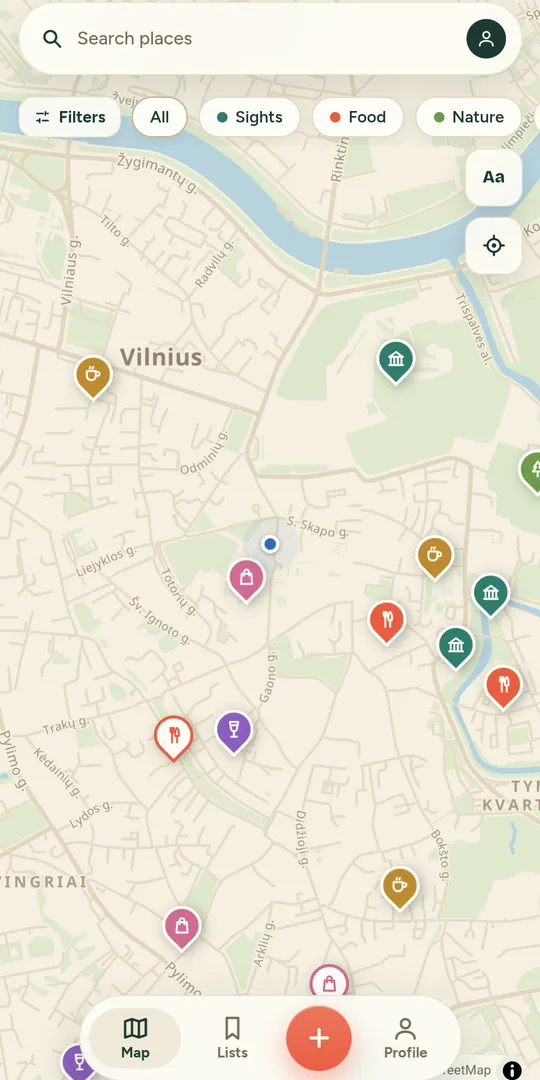
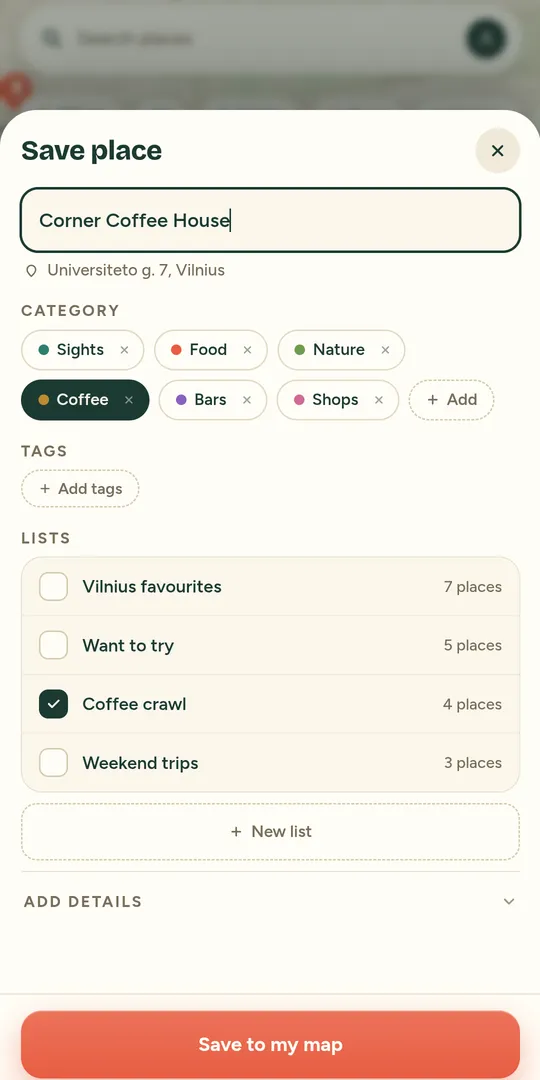
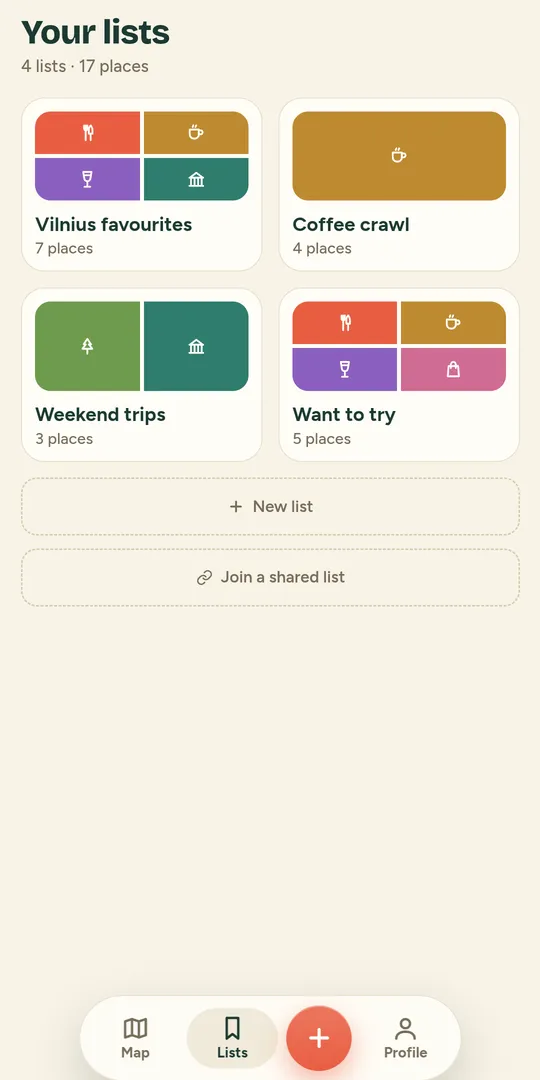
- Unlimited free pins. Long-press the map or search a name, and it's saved. The core loop is never capped.
- Your own organisation. Categories with colours and icons, tags, lists (one place can live in many), notes and photos.
- Find anything fast. Search your own collection and filter the map by category, tag, status or list.
- A calm map. No ads, no sponsored pins, no suggestions. Only your places, with a light or dark map theme, both free.
- Private by default. On the free plan your whole collection stays on your device. Nothing of it is uploaded to our servers, and it works without a connection.
- Import and export are free, forever. Bring your places in from Google Maps, Mapstr, GPX or KML, and take them out again as CSV, GPX, KML or a full backup.
What Mapcove doesn't do, said plainly: no turn-by-turn directions, no traffic, no business reviews. When it's time to go, open your saved place in the navigation app you prefer.
Side by side
| App | Best for | Offline | Saved places | Platforms |
|---|---|---|---|---|
| Mapcove Best for saved places | Saving and organising your places | Your places, always | Unlimited: categories, tags, lists, notes, photos | iOS, Android, web |
| Google Maps | Everything, if you're fine with Google | Limited areas | Lists, no tags | iOS, Android, web |
| Apple Maps | Navigation on iPhone | Downloaded areas | Guides | Apple devices |
| Organic Maps | Private, offline travel | Yes, per region | Bookmark lists | iOS, Android |
| OsmAnd | Hiking, power users | Yes, per region | Favourites, tracks | iOS, Android |
| HERE WeGo / Magic Earth | Offline driving | Yes | Basic favourites | iOS, Android |
Features change often. This table reflects each app's general approach as of November 2026, not every setting.
How to switch without losing anything
- Export from Google Takeout At takeout.google.com, deselect everything, then tick “Maps (your places)” and “Saved”. Our full Takeout guide walks through every screen.
- Install Mapcove Get it free on the App Store or Google Play, or use it in the browser at app.mapcove.app.
- Import the files one at a time Open Import, pick Google Maps for Saved Places.json and Google Maps list for each list CSV. Unzip first: don't import the Takeout .zip itself.
- Sort at your own pace Everything lands in an “Imported” list, so your map stays tidy while you give places categories, tags and lists.
- Keep Google for directions, if you like Nothing is deleted from Google Maps. Use whichever navigation app you prefer to get there; Mapcove is where you remember why.
One honest caveat: Google exports some named places in list CSVs without coordinates. Mapcove won't guess or look them up online, so those rows are skipped and counted in the import summary. Starred places and dropped pins come over cleanly.
Fair questions, straight answers
Is there a good free alternative to Google Maps?
Yes, depending on the job. For navigation, Apple Maps, Organic Maps, OsmAnd, HERE WeGo and Magic Earth are all free. For your saved places, Mapcove is free with unlimited pins.
Can Mapcove replace Google Maps for directions?
No, and we'd rather say so up front. Mapcove has no turn-by-turn navigation or traffic. It's the home for your collection; pair it with any navigation app.
Which Google Maps alternative is best for privacy?
For navigation, the OpenStreetMap apps (Organic Maps, OsmAnd) work without an account. For saved places, Mapcove's free plan keeps your whole collection on your device, and nothing of it reaches our servers.
How do I move my saved places out of Google Maps?
Use Google Takeout and tick “Maps (your places)” and “Saved”. Mapcove imports the Saved Places.json file and each list CSV directly, free, and Google My Maps exports import as KML. The Takeout guide has every step.
I use Mapstr, not Google Maps. Does that work too?
Yes. There's a dedicated importer, and your tags, notes and photos come along. See Mapstr vs Mapcove.
Is Mapcove free?
Yes. Pins, categories, tags, notes, photos, search, every theme, and import and export are free and unlimited. That's a founding decision, not a launch promo.
Mapcove is a private atlas: unlimited free pins, your own categories, tags and lists, and your data working offline. Out now on iPhone, Android and the web.
On iPhone? Get it on the App Store.